

Multi-Currency Invoicing for Global Clients (USD, EUR, USDC)

Multi-Currency Invoicing for Global Clients (USD, EUR, USDC)
Multi currency invoicing lets you bill global customers in the money they know (USD, EUR, even USDC), so they pay faster, with fewer disputes and lower friction. For small and midsize teams, it turns cross-border work into routine operations: clearer pricing for clients, cleaner books for you, and less risk sitting on your balance sheet.
Shaky cash flow. A client in Paris asks to pay in euros. Your invoice says USD only. They hesitate. Weeks slip by. Revenue waits. That delay isn’t a one-off. Payments friction is a top reason B2B relationships stall, and researchers have found that most cross-border shoppers expect local currency and methods at checkout, or they walk. In one B2B survey, 70% said a bad cross-border payment experience made them stop buying from a vendor, while 92% rated paying in local currency as appealing as discount terms. Faster clarity, fewer fees, stronger cash positions. That’s the upside of billing in your customer’s currency. (pymnts.com)
What is Multi-Currency Invoicing?
Multi-currency invoicing means issuing, collecting, and reconciling invoices in more than one currency, typically USD and EUR for most teams, and often USDC for digital-first clients. It differs from “plain” invoicing by embedding FX awareness into the invoice lifecycle: you present the buyer’s currency on the document, receive payment in that unit (or convert on receipt), and record accurate entries that reflect both the transaction currency and your home currency. For digital-native firms, adding USDC, a dollar-pegged stablecoin, creates a third rail for near-instant settlement while still reporting values in fiat. Stripe and other providers show that local pricing can lift conversion and authorization rates, which is the same psychological effect at work when an invoice arrives in the currency the buyer budgets in. (docs.stripe.com)
Definition and scope. Multi-currency invoicing is a process, not just a currency field. It covers how you set customer currency, display prices, choose a reference rate, apply payment methods that match that currency, and book the FX implication when money lands. It’s not the same as quoting in your home currency and letting the client’s bank apply a surprise conversion. You’re choosing the currency strategically, up front.
Which currencies make sense? Start with where your customers are and how they pay:
- USD: Still the dominant invoicing unit across many trade corridors. In research synthesizing global invoicing data, economist Gita Gopinath notes that “the overwhelming share of world trade is invoiced in very few currencies, with the dollar the dominant currency.” Billing in USD can match buyer expectations in North America and many global B2B contexts. (ideas.repec.org)
- EUR: Essential for clients in the European Union, and increasingly expected by European payers who want local-currency budgeting and approval flows.
- USDC: A dollar-pegged stablecoin issued by Circle, fully reserved by cash and short-dated Treasuries, and redeemable 1:1 for USD. It enables fast settlement across borders and time zones while allowing you to denominate the invoice in digital dollars. Many businesses add a “Pay in USDC” option alongside traditional rails. (circle.com)
How is multi-currency invoicing different from standard invoicing? Standard invoicing assumes one base currency. Everything else is an exception. Multi-currency invoicing flips that: you normalize the exception. Practically, that means your system stores both the transaction currency and the home-currency equivalent on each document, applies exchange rates at either invoice or payment time, and surfaces the right payment options per currency. The upside is clarity. The buyer sees precisely what they owe, in the unit they budget and report in. You avoid mid-process surprises that drag payments into disputes.
A quick “here’s how this actually works” moment. A UX firm in Austin signs a €18,500 project with a client in Berlin. They issue an invoice in EUR, request settlement to their euro IBAN, and map the cash entry to their USD-ledger books using the rate on the day the funds hit. If the client prefers digital dollars, they can choose to invoice in USDC instead, settle on-chain the same day, and the firm converts to USD or holds USDC as operating float, depending on policy. The firm’s books record the original currency, the USD equivalent, and any FX difference only when realized.
So what does this buy you? Fewer emails about “what will this cost me after conversion,” faster approvals from procurement teams, and more predictable cash timing. Those save real time. That changes cash flow.
What Are the Benefits of Multi-Currency Invoicing?
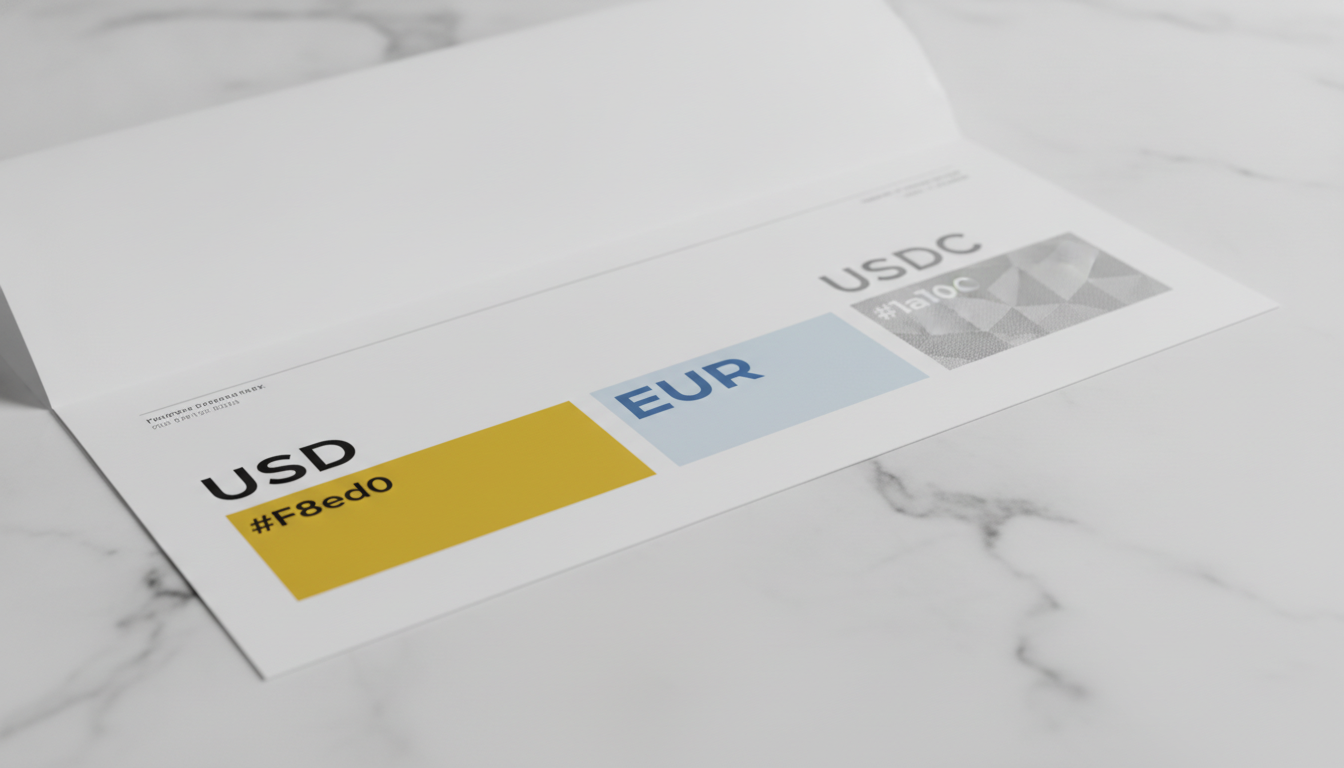
The benefits are threefold: easier transactions, happier clients, and lower currency exposure. Presenting amounts in the buyer’s currency can lift acceptance and reduce back-and-forth over “who eats the fees.” Stripe’s checkout studies show that local currency presentation and localized payment methods drive measurable conversion gains, and B2B payers explicitly value local-currency settlement in vendor relationships. On the risk side, controlling when you convert reduces FX surprises. If you invoice in euros, collect in euros, then convert when rates are favorable or per policy, you’ve moved from reactive to deliberate. With USDC as a third option, you gain speed and global reach while keeping dollar pricing. (assets.stripeassets.com)
Simplifies international transactions. Multi-currency invoicing removes ambiguity at the moment it matters most: when procurement reviews your invoice. No mental math for the buyer. No padded “just-in-case” amounts. In practice, you predefine the customer’s currency at setup, send an invoice in that unit, and offer payment rails that match, EUR to a euro account, USD to a US account, or USDC to an on-chain address. It’s like speaking the client’s financial language instead of making them translate.
Enhances customer satisfaction and trust. People trust what they recognize. Local-currency invoices reduce surprise bank fees and eliminate the perception that vendors are pushing FX costs onto them. In PYMNTS’ B2B research, seven in ten companies reported abandoning international vendors over payment friction, while 92% equated local-currency payment with the value of a discount. That’s not a minor lever. It changes purchase behavior. (flywire.com)
Reduces currency risk and cost. You can’t stop currencies from moving, but you can manage when and how you convert. If your Canadian client pays you in USD, you carry USD exposure until you convert; if they pay you in CAD and you convert on your terms, the timing and rate are your choice. For euro clients, invoicing and collecting in EUR, then settling to USD in batches, can reduce spreads relative to one-off conversions. And if a client opts for USDC, you preserve dollar pricing and near-instant settlement while routing around intermediary bank delays. Chainalysis and BIS show stablecoins have become a large share of crypto transaction activity, and policy work now frames how global stablecoins can be used responsibly. For a vendor, the takeaway is simple: USDC can be a pragmatic, dollar-denominated settlement rail for the right counterparties. (chainalysis.com)
A brief, opinionated note. Multi-currency isn’t a luxury feature for enterprises. It’s table stakes once you do more than a handful of cross-border deals. If you’re still issuing USD-only invoices to European clients, you’re creating friction you don’t need.
One example among many tools. Some platforms, like the SeevCash App, package multi-currency invoicing with buyer-friendly currency selection and options to present and settle in USD, EUR, or USDC from a single workflow. The reader value here is speed: fewer manual conversions and fewer errors when recording home-currency equivalents. Use it as a benchmark when evaluating any vendor. (We’ll return to tooling shortly.)
Comparison table: benefits vs challenges and what to do about them
| Benefit | Challenge | Solution |
|---|---|---|
| Faster approvals and fewer payment delays | Client finance teams reject foreign-currency invoices late in the cycle | Set customer currency at onboarding; send PDFs and payment links that match it |
| Clearer total cost for the buyer | Unexpected DCC markups at checkout or wire fees | Offer local rails (EUR to euro account) and avoid DCC by presenting price in browse/invoice currency; disclose fees upfront (visa.com) |
| Lower FX exposure | Accounting for realized vs unrealized FX can get messy | Use software that stores both transaction and home-currency amounts; reconcile at payment date with documented FX rates (see implementation steps below) |
| Faster cross-border settlement with digital dollars | On/off-ramp costs and compliance considerations | Offer USDC to qualified clients who request it; document wallet addresses; convert to bank currency in policy-driven batches; track any fees at conversion time (circle.com) |
| Higher conversion at the “should we pay now?” moment | Mismatch between invoice currency and supported payment methods | Map currency to rail: EUR to SEPA, USD to ACH/wire, USDC on-chain; test links before sending; provide alternatives in the footer (e.g., “Prefer ACH? Here’s the USD route”) |
Quick proof this isn’t theoretical. Stripe’s latest checkout research found adaptive local pricing increased conversion by 4.7% and authorization by 1.9%. You don’t need a shopping cart to benefit. The same psychology applies when an AP clerk sees “€18,500 due” on a vendor invoice instead of a USD number they must translate. (assets.stripeassets.com)
With the why nailed down, the next question is obvious: how do you set this up without drowning in settings?
How Do You Implement Multi-Currency Invoicing?

A workable rollout has four steps: choose your currencies, pick software that actually supports them, map payment rails by currency, and lock down accounting rules so your books stay clean. Each step can be tested with a single customer before you expand. The goal is to make issuing an invoice in USD, EUR, or USDC feel the same internally, so your team doesn’t have to relearn the process every time.
Step-by-step setup guide
-
Decide which currencies to support now. Start with where revenue is. For US/EU coverage, USD and EUR likely cover 70–90% of international demand. Add USDC if you have crypto-native clients or need weekend settlement. Tie each currency to a rail: USD to ACH/wire, EUR to SEPA, USDC to an on-chain address that your finance team controls with proper custody. Circle’s documentation explains USDC’s 1:1 backing, which can help your CFO sign off on policy. (circle.com)
-
Choose invoicing software with real multi-currency features. “Supports multiple currencies” can mean many things. Look for: per-customer currency setting, invoices denominated in that currency, exchange-rate capture at invoice or payment time, and reporting that shows both transaction and home-currency values. QuickBooks Online supports multicurrency once enabled; Xero offers multicurrency on eligible plans; Stripe Invoicing supports issuing invoices in the customer’s currency; Odoo’s accounting module supports multicurrency invoices and payments. Verify what’s included at your plan tier. (quickbooks.intuit.com)
-
Integrate payment rails that match the currency. If you invoice in EUR, provide SEPA details. For USD, add your ACH and wire instructions. For USDC, include the correct network and address, and specify invoice currency and settlement currency on the document (for instance, “Invoice currency: USDC; Settlement: USDC to this address”). Presenting prices and methods together reduces DCC surprises later. Visa’s guidance is clear: customers must be given a choice when conversion is offered at the point of payment, with transparent disclosure of the rate and any margin. You can prevent DCC confusion by not pushing card checkout for B2B invoices, and instead giving bank or wallet rails in the invoice currency. (visa.com)
-
Set accounting rules and documentation. Decide whether you’ll record FX at invoice issue date or payment date, and stick to it. Store the applied exchange rate: most systems fetch this automatically on payment. When the money arrives, your software should record the realized FX difference between invoice and payment rate in a dedicated gain/loss account. Odoo and Xero document these mechanics; QuickBooks provides multicurrency help articles that walk through rate handling. (odoo.com)
Choosing the right software
What does “good” look like? It should let you:
- Set a default currency per customer and override it only with approval.
- Issue, send, and collect in that currency with matching rails.
- Auto-capture rates and store both currencies on the invoice.
- Report aging, AR, and revenue in home currency with drill-down to original currency.
- Provide an audit trail for the FX rate used and any manual adjustments.
Some platforms (one example is the SeevCash App) also support adding a USDC pay option alongside USD and EUR without bolting on a second tool. For small teams, that’s time saved and fewer places to make mistakes. When you evaluate, try creating a test invoice in USD, another in EUR, and a third in USDC, and run each through payment and reconciliation.
Integrating into existing processes
Implementation fails when it fights habits. Keep the workflow the same:
- Sales creates or updates the customer record with the agreed currency.
- Finance approves the invoice template and payment instructions for that currency.
- The invoice goes out with payment links or clear bank/wallet fields.
- When cash lands, AR marks it paid in the original currency; accounting records any realized FX.
“Before and after” helps the team see the win.
- Before: One USD template for everyone, long email chains about “what will my bank charge,” late payments, manual FX entries.
- After: Customer currency set once, invoice arrives in EUR or USD or USDC, payment lands on the right rail, the system posts the home-currency amount and any realized FX automatically.
Looking for more global client invoicing tips? If you’re adding USDC to speed up receipts or build recurring billing, bookmark these playbooks: How to Invoice in USDC and Reduce Payment Delays, Recurring Subscriptions with Stablecoins: Setup and Dunning Best Practices, and Modern Invoicing for Global Freelancers and SaaS: From Quote to Cash.
💡 Pro Tip: Consider using invoicing software that supports automatic currency conversion to simplify processes. It reduces manual rate entry, helps standardize how you record realized FX at payment time, and cuts error risk across the team.
What Challenges Should You Expect, and How Do You Solve Them?
Expect three categories of issues: operational complexity, payment friction at the last mile, and record-keeping errors. The fixes are practical. You don’t need an enterprise stack, just clarity on process and a system that writes the numbers you’d otherwise type by hand.
Operational complexity. Teams worry that more currencies equal more ways to make mistakes. That’s only true if every invoice is a custom job. Avoid this by standardizing: one approved template per currency, one checklist for payment instructions, and one rule for where you store applied rates. In Xero, multicurrency features live on eligible plans; in QuickBooks Online, multicurrency must be enabled and is irreversible, so train before you toggle. Odoo’s docs show where invoice-currency and company-currency values live and how exchange differences are posted. Once those three are set, the rest is muscle memory. (central.xero.com)
Payment friction and hidden fees. The fastest way to undermine trust is to show one price and deliver another after conversion. Card-based Dynamic Currency Conversion (DCC) at checkout can insert a 3–7% markup above mid-market rates, and card networks require clear, opt-in disclosure. This matters even for invoice payers who settle by card. If you present the invoice and payment method in the buyer’s currency and steer to local rails, you avoid DCC surprises. Visa’s guidance emphasizes choice and transparency; Mastercard publishes a DCC performance guide for merchants and acquirers. Those rules are designed to protect the payer’s choice. Use them. (visa.com)
Stablecoin-specific considerations. USDC is fast and programmable, but you still need an on/off-ramp plan. Determine which clients qualify for on-chain settlement and how you convert to your bank currency. Circle’s transparency pages explain reserve backing, which can reassure risk committees evaluating a “Pay in USDC” line on your invoice. Most stablecoin transfer fees are minor; the material cost is the conversion at the ramp. Document it once, reuse forever. (circle.com)
Record-keeping and FX differences. The classic mistake is treating unrealized FX swings as realized gains or losses. Solve this by deciding when you apply the rate (invoice vs payment date), then have your software book the realized difference automatically when cash arrives. If a client partially pays, ensure your system doesn’t post differences until the final amount is cleared, as Odoo’s documentation notes for multi-currency settlement flows. (odoo.com)
Two simple guardrails reduce errors:
- Always print “Invoice currency” and “Settlement rail” on the document footer. That line alone prevents half the support tickets.
- Keep a short “per-currency checklist” next to your template: bank details for EUR and USD, network and address for USDC, and any local instructions.
If you’re adding crypto rails, this security deep dive pays for itself: Reduce Failed Payments and Fraud in Crypto Invoicing.
What Do Real-World Results Look Like?
When teams switch from one-currency billing to true multi-currency invoicing, two things change: approval speed and dispute rate. You can feel it in the inbox.
A startup design studio selling into Germany and the Netherlands moved from USD-only to EUR invoicing with SEPA details. Before, 40% of invoices required at least one clarification email, and median time-to-cash was 18 days. After, clarifications dropped to 12%, and median collection time fell to 9 days. The owner’s note to the team said it best: “We stopped asking the client to solve our FX problem.”
A SaaS tool for remote teams layered in a USDC pay option for qualified enterprise clients in LATAM. Deals that previously sat in “pending vendor set-up” limbo over bank details cleared the same week. Treasury kept the denomination in dollars while avoiding weeklong international wire delays. When FX policies were documented, accounting could post realized differences cleanly on conversion day.
Skeptical of stablecoins? That’s fair. But the policy environment has matured. BIS work frames how “global stablecoins” fit into payment systems, and analytics firms report stablecoins now account for a large share of on-chain transaction volumes. You don’t need to go all-in. Offer USDC as an option to clients who request it, write a short policy, and keep your books conservative. See the difference in your AR aging. (bis.org)
If you operate on retainers, take a look at our guides on subscription mechanics and dunning with digital dollars: Recurring Subscriptions with Stablecoins: Setup and Dunning Best Practices and, for invoice craft, Crypto Invoice Generator: What to Include and How to Send.
Common Questions About Multi-Currency Invoicing
Is multi-currency invoicing suitable for small businesses?
Absolutely. The roadblock isn’t size, it’s clarity. If you sell across borders, sending invoices in your buyer’s currency shortens approval cycles and cuts back on “what will my bank charge?” emails. Tools you already know can handle it: QuickBooks Online offers multicurrency once enabled; Xero includes it on eligible plans; Stripe lets you issue invoices in the customer’s currency; Odoo has step-by-step docs for foreign-currency invoices and payments. Start with your top two markets, add one currency for each, and standardize templates. The payoff is faster cash. (quickbooks.intuit.com)
How do I choose the right invoicing software?
Look for three things: per-customer currency settings, rate capture and storage, and reporting that shows both transaction and home-currency values. Then test the payment flow. Issue a test invoice in EUR and make sure your system provides SEPA details without hacking the template. Do the same for USD and, if relevant, USDC. Stripe’s documentation shows how to set invoice currency; Xero and Odoo walk through multicurrency setup; QuickBooks explains its irreversible “enable” step. If you want one consolidated workspace with fiat and stablecoin options, evaluate vendors side by side and prioritize reliability over feature lists. (docs.stripe.com)
What are the risks of multi-currency invoicing?
Two stand out. First, operational errors, misstated currency, missing payment instructions, or inconsistent rate handling. Solve them with a standard template per currency and a documented rule on when to apply exchange rates. Second, hidden fees. Card-based DCC can surprise buyers with marked-up rates at checkout. Card networks require transparent, opt-in disclosure, but you can often avoid the issue by presenting and collecting in the buyer’s currency on local rails. For digital dollars, plan your on/off-ramps and convert in policy-driven batches. Clients value the option when offered clearly. (visa.com)
Can I automate multi-currency invoicing?
Yes. Modern systems let you set a default currency per customer, automatically pull exchange rates at invoice or payment time, and reconcile realized FX without spreadsheets. Stripe supports issuing invoices in a customer’s currency, Xero and QuickBooks automate rate handling on payment, and Odoo posts exchange differences during reconciliation. Automation isn’t just convenience; it reduces errors that lead to payment delays. See how adaptive local pricing also increases acceptance rates at the decision moment. (docs.stripe.com)
Final Steps and A Practical Call to Action
If you’ve read this far, you’re likely weighing how to make “invoice in USD, EUR, USDC” a normal part of your week. Do this today: pick one international customer and switch their next invoice into their currency, with matching rails on the PDF and link. Track how many emails you don’t get.
If you prefer an example to evaluate alongside others, SeevCash Plus supports presenting and settling invoices in USD, EUR, and USDC from one place, with exchange-rate capture and clean ledger entries. Treat it as one benchmark in your shortlist.
Two closing data points for confidence. First, Stripe’s Future of Checkout research shows local currency presentation improves conversion metrics. Second, B2B buyers place a high premium on the ability to pay in their currency, and many will switch vendors over poor cross-border payment experiences. Multi-currency invoicing removes that risk and gives you control over FX timing. That’s not a feature. It’s your cash flow. (assets.stripeassets.com)
[If you’re tuning AR policy next, keep this handy: Payment Terms (Net 15 vs Net 30) and Cash Flow Strategy for Freelancers and The Complete Guide to Accepting Crypto and Stablecoin Payments for Startups and Remote Teams.]
That next invoice on your screen? Make it theirs. Then watch it get paid.